
Program Administrators can now mark assessments as deleted via the SIMPL Web Platform.
1. Navigate to the “Program Assessments” tab
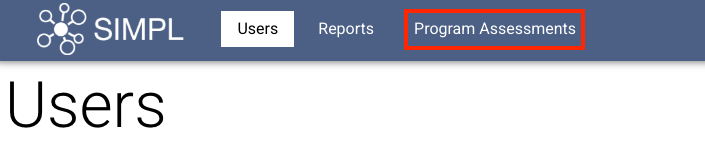
2. Easily locate an assessment using:
Trainee name
Evaluator name
Date filter

3. Once identified, you click the assessment you would like to mark as deleted.
4. Assessment details tab will open, confirm it is the correct assessment to delete, then click Remove Assessment.
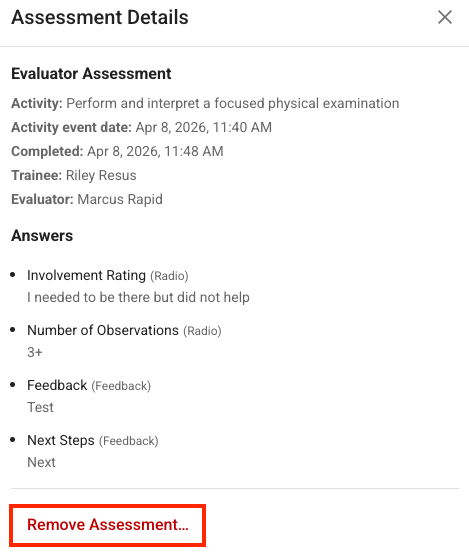
5. Enter Deletion reason
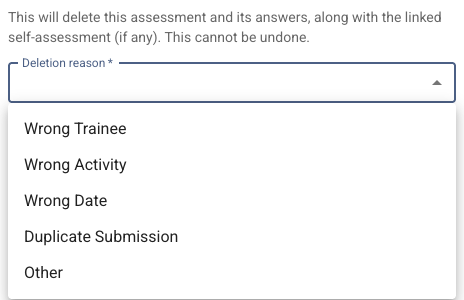 6. Enter free-text note if needed to provide additional context
 7. Hit "Confirm removal" Button
 8. Confirmation is shown at the top and the assessment has been marked as deleted
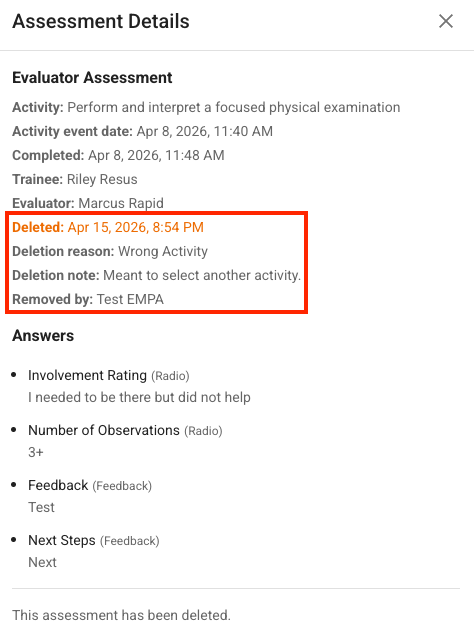
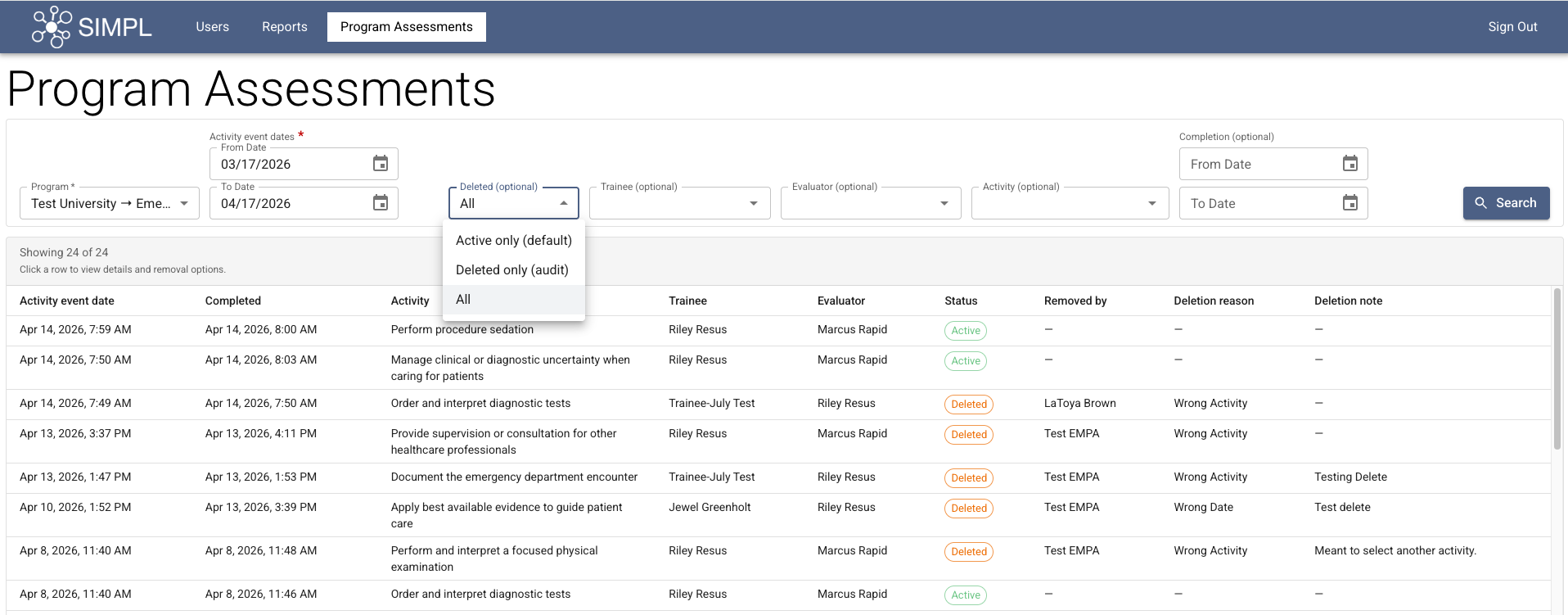
9. Program Administrators are able to view deleted assessments under the "Program Assessments" Tab. This can be filtered to show active, deleted or all assessments. Deleted assessments include who it was deleted by and when, deletion reason and deletion note (if additional context provided).
Please Note:
- Assessments marked as deleted will no longer appear in SIMPL Dashboards or Assessment History within the SIMPL app.
Please reach out to SIMPL Support at help@simpl.org for any questions or concerns.