
Here is a guideline for Program Administrators to remove membership from registered users using the SIMPL Web Platform:
1. Go to the 'Users' tab and find the user's name to remove their membership. There, select the user's name to access the user details screen and click 'Edit User'.
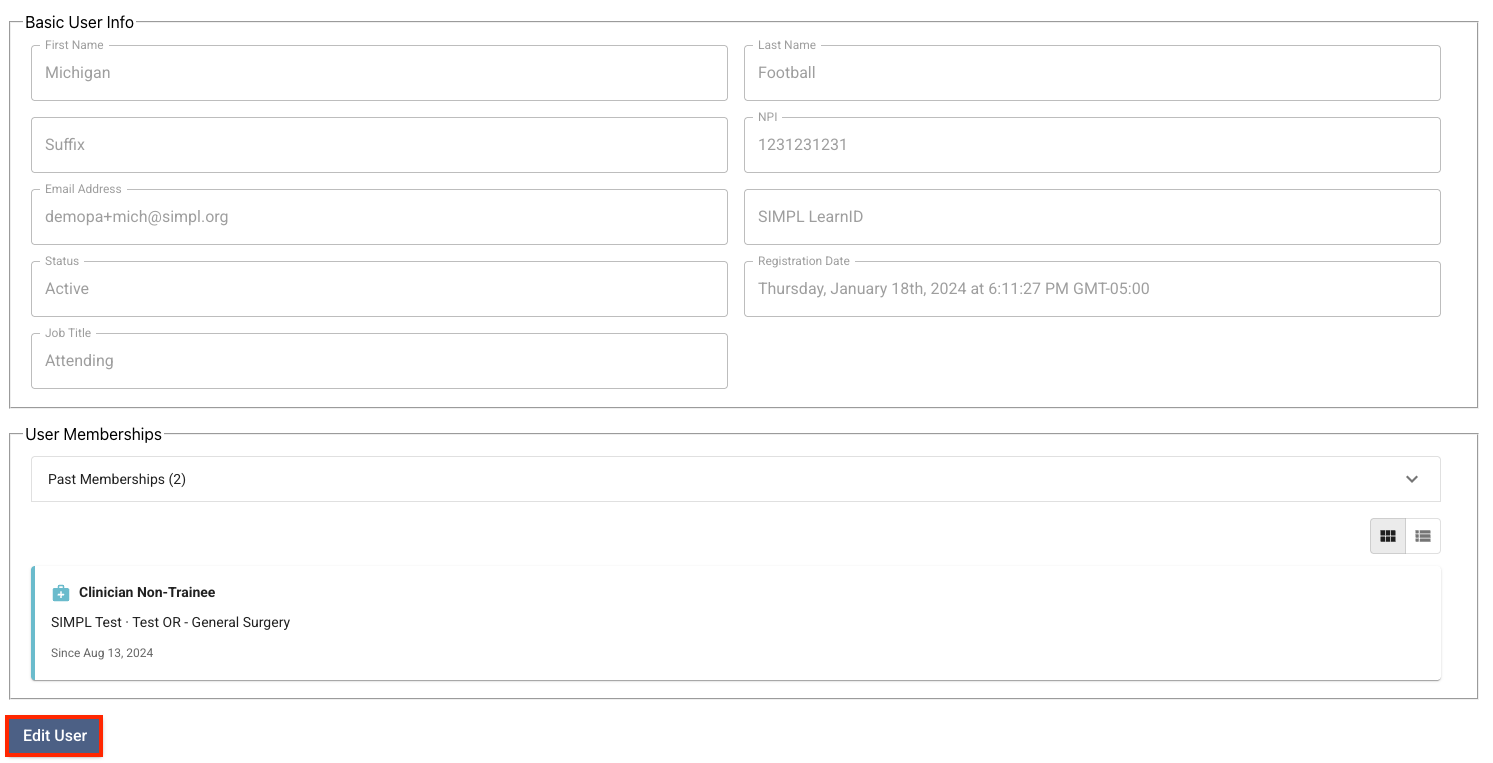
2. You now have the option to end the selected user's membership.
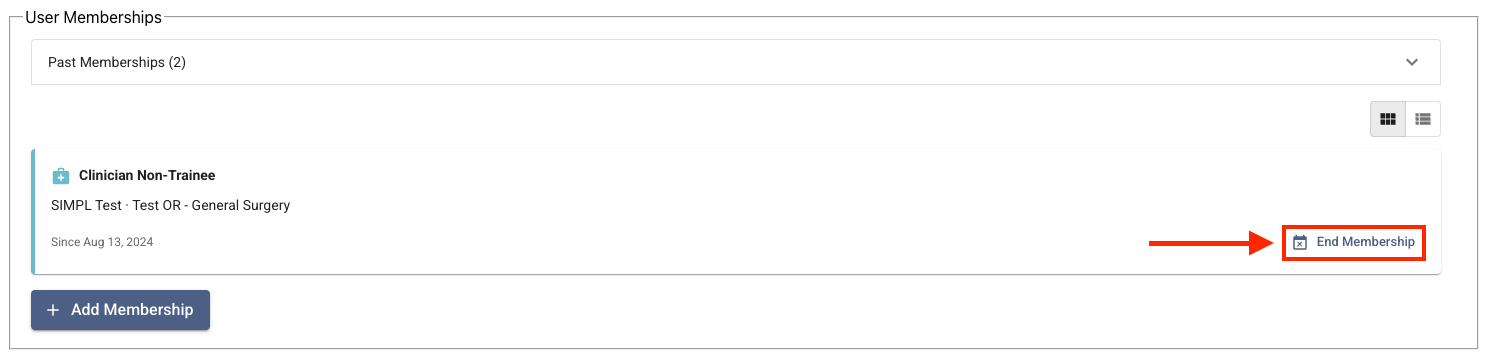
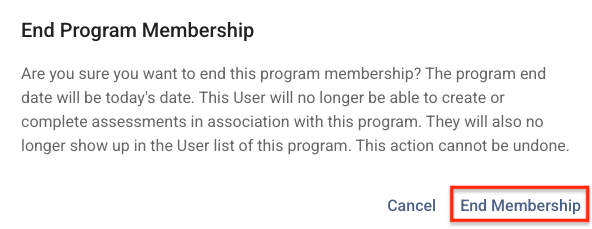
3. After selecting 'End Program Membership', you will see a warning message. Select 'End Membership' to continue.
4. You will notice that the User Memberships now has a Past Memberships Drop-Down. Click that to see the membership you just ended.

5. Click on 'Save' and wait for the system to process the change and show this message on the bottom left of your screen:

6. After following the steps above and refreshing your browser, you will no longer see the user listed in your program in SIMPL.
IMPORTANT: This is only applicable to registered users. If you wish to end an unregistered user's membership, please get in touch with our support team at help@simpl.org and provide the email address associated with the user's account.